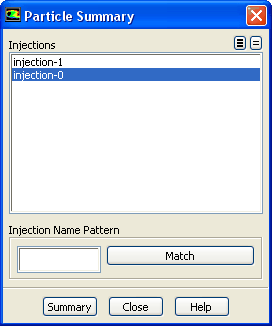
The
Particle Summary dialog box allows you to report a summary for particle injections. See Section
23.7.8 for details about the items below.
Controls
Injections
lists the particle injection(s) for which you can generate a summary.
Injection Name Pattern
specifies the pattern to look for in the names of injections. Type the pattern in the text field and click
Match to select (or deselect) the injection in the
Injections list with names that match the specified pattern. See Section
23.7.8 for information about matching additional characters using
* and
?.
Summary
prints the injection summary in the console window.
![[ANSYS, Inc. Logo]](fluentlogo.gif)