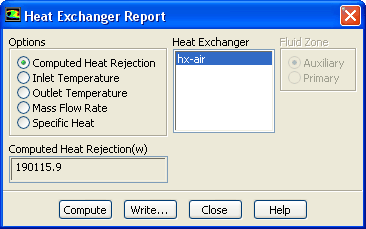
The
Heat Exchanger Report dialog box allows you to report a summary for heat exchangers. See Section
14.6 for details about the items below.
Controls
Options
lists the available reporting options for the heat exchanger.
Computed Heat Rejection
allows you to report the heat rejection calculated from the heat exchanger.
Inlet Temperature
allows you to report the inlet temperature for both the primary and the auxiliary heat exchanger fluid.
Outlet Temperature
allows you to report the outlet temperature for both the primary and the auxiliary heat exchanger fluid.
Mass Flow Rate
allows you to report the mass flow rate for both the primary and the auxiliary heat exchanger fluid.
Specific Heat
allows you to report the specific heat for both the primary and the auxiliary heat exchanger fluid.
Result
displays the results of the calculations once the
Compute button is selected.
Heat Exchanger
displays a list of heat exchanger fluid zones
Fluid Zone
(not available when
Computed Heat Rejection option is selected.) allows you to report quantities for either the primary or auxiliary fluid zones.
Compute
computes the specified quantity on the selected zones.
Write...
opens the
Select File dialog box (see Section
2.1.6), which you can use to save the reported values to a file.
![[ANSYS, Inc. Logo]](fluentlogo.gif)