![[ANSYS, Inc. Logo]](fluentlogo.gif)


|
|
|
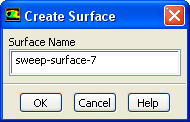
The Create Surface dialog box allows you to save a sweep surface for later use. You can open it by clicking Create... in the Sweep Surface dialog box. See Section 29.1.5 for details about the items below.
Controls
Previous:
33.19.12 Sweep Surface Dialog