![[ANSYS, Inc. Logo]](fluentlogo.gif)


|
|
|
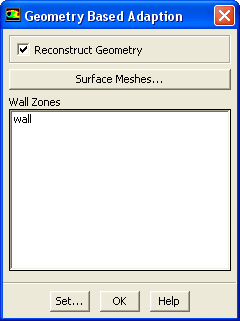
The Geometry Based Adaption dialog box (Figure 27.10.1) allows you to reconstruct the geometry while performing boundary adaption.
Adapt
 Geometry...
The procedure for performing geometry-based adaption is as follows:
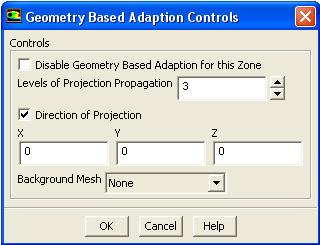
In the Geometry Based Adaption Controls dialog box, set the following parameters:
activate Disable Geometry Based Adaption for this Zone.
After setting the parameters for geometry-based adaption proceed to mesh adaption.
Previous:
27.10 Geometry-Based Adaption