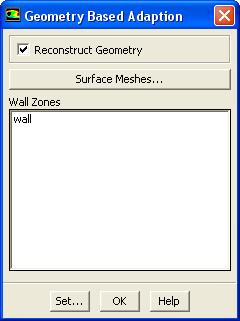
The
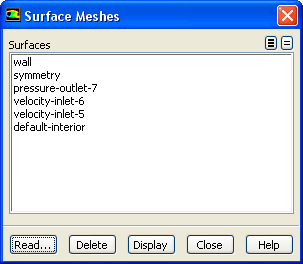
Surface Meshes dialog box allows you to read the surface meshes in
ANSYS FLUENT (See Section
6.3.16 for details on reading surface meshes.)
Controls
Surfaces
contains a list of the surfaces available in the surface mesh you read.
You can select/deselect the surfaces listed under
Surfaces.
Read...
opens
Select File dialog box in which you can select the surface mesh you want to read.
Delete
allows you to delete the selected surfaces under
Surfaces area.
Display
allows you to display the selected surfaces under
Surfaces.
Geometry Based Adaption Controls Dialog Box
The
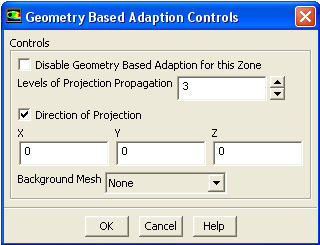
Geometry Based Adaption Controls dialog box allows you to set projections. It is opened from the
Geometry Based Adaption dialog box. See Section
27.10.1 for details about the items below.
Controls
Controls
contains parameters to define geometry based adaption.
Disable Geometry Based Adaption for this Zone
disables the geometry reconstruction for selected zones in the domain.
Levels of Projection Propagation
is the number of layers of the nodes you want to project.
Direction of Projection
allows you to specify the direction in which you want to project the nodes.
Background Mesh
allows you to load the surface mesh as a background mesh for adaption.
![[ANSYS, Inc. Logo]](fluentlogo.gif)