![[ANSYS, Inc. Logo]](fluentlogo.gif)


|
|
|
ANSYS FLUENT provides 11 types of injections:
For each nonatomizer injection type, you will specify each of the initial conditions listed in Section 23.3, the type of particle that possesses these initial conditions, and any other relevant parameters for the particle type chosen.
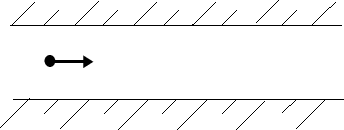
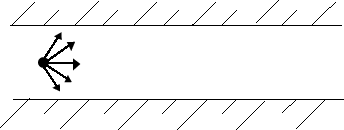
You should create a single injection when you want to specify a single value for each of the initial conditions (Figure 23.3.1). Create a group injection (Figure 23.3.2) when you want to define a range for one or more of the initial conditions (e.g., a range of diameters or a range of initial positions). To define hollow spray cone injections in 3D problems, create a cone injection (Figure 23.3.3). To release particles from a surface (either a zone surface or a surface you have defined using the items in the Surface menu), you will create a surface injection. (If you create a surface injection, a particle stream will be released from each facet of the surface. You can use the Bounded and Sample Points options in the Plane Surface dialog box to create injections from a rectangular mesh of particles in 3D (see Section 28.6 for details).
Particle initial conditions (position, velocity, diameter, temperature, and mass flow rate) can also be read from an external file if none of the injection types listed above can be used to describe your injection distribution.
The inputs for setting injections are described in detail in Section 23.3.15.
Previous:
23.3 Setting Initial Conditions