![[ANSYS, Inc. Logo]](fluentlogo.gif)


|
|
|
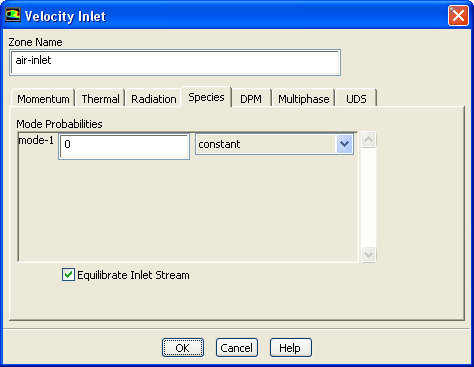
At flow inlets, specify the Mixture Fraction in the Species tab of the boundary condition inlet dialog boxes, as shown in Figure 19.4.2. At outlet boundaries, similarly specify the Backflow Mixture Fraction. ANSYS FLUENT always applies zero flux boundary conditions at walls for all species.
Equilibrating Inlet Streams
The Equilibrate Inlet Stream option in the Species tab of the boundary conditions dialog boxes will set the inlet compositions to their chemical equilibrium values. This option can be used to model pilot flames and exhaust gas recirculation.
|
|
This option should not be enabled for pure fuel or oxidizer inlets.
|
If you are using the Eulerian PDF transport model, specify the discretization and under-relaxation for the Eulerian PDF composition transport in the Solution Controls and Solution Methods task page.
Previous:
19.4 Enabling the Eulerian