![[ANSYS, Inc. Logo]](fluentlogo.gif)


|
|
|
By default, the solver computes the species diffusion using Equation
8.9-1 (for laminar flows) with your inputs for
 , the diffusion coefficient for species
 in the mixture. For turbulent flows, species diffusion is computed with Equation
8.9-3.
in the mixture. For turbulent flows, species diffusion is computed with Equation
8.9-3.
You can input the mass diffusion coefficients using one of the following methods:
 .
.
 as a constant or as a polynomial function of temperature (if heat transfer is enabled).
 in each species
 ,
,
 as a constant or a polynomial function of temperature, or (for ideal gases only) using kinetic theory.
You should choose to input
 (using one of the first two methods) if you are modeling a dilute mixture, with chemical species present at low mass fraction in a "carrier'' fluid that is present at high concentration. You may wish to define the individual binary mass diffusion coefficients,
 , if you are modeling a non-dilute mixture. If you choose to define
 , the solver will compute the diffusion of species
 in the mixture using Equation
8.9-2, unless you have enabled full multicomponent diffusion.
in the mixture using Equation
8.9-2, unless you have enabled full multicomponent diffusion.
|
|
If you want to use the full multicomponent diffusion model described in Section
8.9.2, turn on the
Full Multicomponent Diffusion option in the
Species Model dialog box, and then select the multicomponent method (the third method listed above) in the
Create/Edit Materials dialog box; the dilute approximation methods are not appropriate for the full multicomponent diffusion model.
|
You will define
 or
or
 for each chemical species using the
Create/Edit Materials dialog box.
for each chemical species using the
Create/Edit Materials dialog box.
 Materials
The diffusion coefficients have units of m
 /s in SI units or ft
 /s in British units.
Constant Dilute Approximation Inputs
To use the constant dilute approximation method, follow these steps:
 . The same value will be used for the diffusion coefficient of each species in the mixture.
Dilute Approximation Inputs
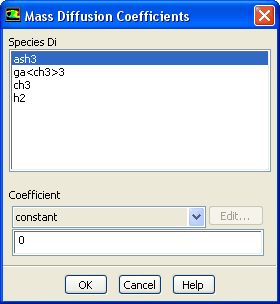
To use the dilute approximation method, follow the steps below:
 for the selected species either as a constant value or (if heat transfer is active) as a polynomial function of temperature:
Multicomponent Method Inputs
To use the multicomponent method, and define constant or temperature-dependent diffusion coefficients, follow the steps below:
 for species
 in species
 .
.
 for the selected pair of species as a constant value or as a polynomial function of temperature (if heat transfer is active).
 |
(8.9-15) |
To use the multicomponent method, and define the diffusion coefficient using kinetic theory (available only when the ideal gas law is used), follow these steps:
 and
and
 , for each species (fluid material), as described in Section
8.13.
, for each species (fluid material), as described in Section
8.13. The solver will use a modification of the Chapman-Enskog formula [ 50] to compute the diffusion coefficient using kinetic theory:
where
 is the absolute pressure, and
 is the diffusion collision integral, which is a measure of the interaction of the molecules in the system.
 is a function of the quantity
 , where
 is the Boltzmann constant, which is defined as the gas constant,
 , divided by Avogadro's number.
 for the mixture is the
geometric average:
for the mixture is the
geometric average:
For a binary mixture,
 is calculated as the
arithmetic average of the individual
is calculated as the
arithmetic average of the individual
 s:
s:
Thermal Diffusion Coefficient Inputs
If you have enabled thermal diffusion (in the Species Model dialog box), you can define the thermal diffusion coefficients in the Create/Edit Materials dialog box as follows:
 for the selected species either as a constant value or as a polynomial function of temperature:
Previous:
8.9.3 Thermal Diffusion Coefficients



![{\cal D}_{ij} = 0.00188 \frac{\left [ T^3 \left (\frac{1}{M... ...\right ) \right ]^{1/2}}{p_{\rm abs} \sigma_{ij}^{2} \Omega_D}](img2428.gif)



