![[ANSYS, Inc. Logo]](fluentlogo.gif)


|
|
|
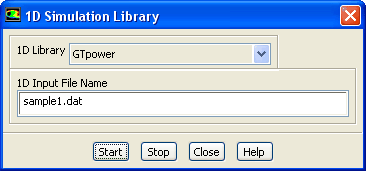
The procedure for setting up the GT-Power coupling in ANSYS FLUENT is presented below.
Define
 User-Defined
 1D Coupling...
When you click Start, GT-Power will start up and ANSYS FLUENT user-defined functions for each boundary in the input file will be generated.
|
|
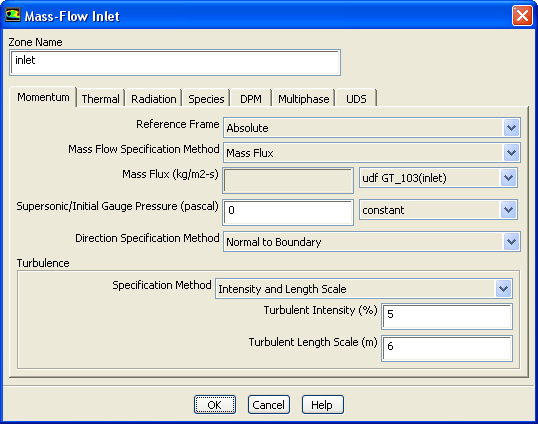
Note that you must select the same UDF for all conditions at a particular boundary zone (as shown, for example, in Figure
7.7.2); this UDF contains all of the conditions at that boundary.
|
 Calculation Activities(Autosave Case/Data)
 Edit...
To use a GT-Power restart file to restart an ANSYS FLUENT calculation, you must edit the GT-Power input data file. See the GT-Power User's Guide for instructions.
Previous:
7.7.1 Requirements and Restrictions