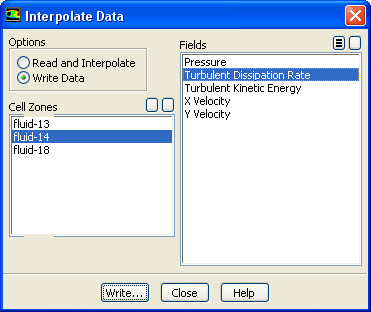
The
File/Interpolate... menu item opens the
Interpolate Data dialog box.
Interpolate Data Dialog Box
The
Interpolate Data dialog box allows you to interpolate solution data from one mesh to another. See Section
4.19 for details.
Controls
Options
contains the interpolation options.
Read and Interpolate
allows you to read and interpolate solution data onto the current mesh.
Write Data
allows you to write an interpolation file for the solution data to be interpolated onto another mesh.
Cell Zones
is a list of cell zones that can be selected.
Fields
is a list of all available data fields that can be selected. This list is available only when
Write Data is selected under
Options.
Read...
opens the
Select File dialog box (see Section
2.1.6), in which you can specify the file to be read. This button is available only when the
Read and Interpolate option is selected.
Write...
opens the
Select File dialog box (see Section
2.1.6), in which you can specify a name for the file to be saved and then save the file. This button replaces the
Read... button when the
Write Data option is selected.
![[ANSYS, Inc. Logo]](fluentlogo.gif)