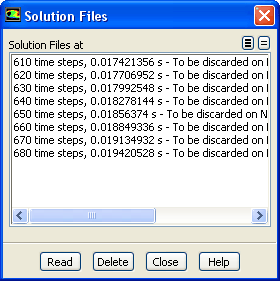
The
File/Solution Files... menu item opens the
Solution Files dialog box.
Solution Files Dialog Box
The
Solution Files dialog box allows you to manage the files that were created through the
Autosave dialog box. See Section
4.18 for details.
Controls
Solution Files at
contains a selectable list where you can choose the files to read or delete.
Read
makes the selected file the current file. Note that if more than one file is selected, the
Read button is disabled. When an earlier solution is made current, the solution files that were generated for a later iteration/time step will be removed from this list when the calculation continues.
Delete
removes the selected solution files.
File Names...
allows you to obtain information about the solution files and the path of the associated files.
![[ANSYS, Inc. Logo]](fluentlogo.gif)