![[ANSYS, Inc. Logo]](fluentlogo.gif)


|
|
|
Geometry-based adaption works on the principle of geometry reconstruction. In this approach, the cell count of the mesh is increased by creating the new nodes in the domain in between the existing nodes of the mesh. The newly created nodes are projected in such a way that the resulting mesh is finer and it's shape is closer to the original geometry.
The following sections explain how nodes are projected and the parameters that control the node propagation.
Node Projection
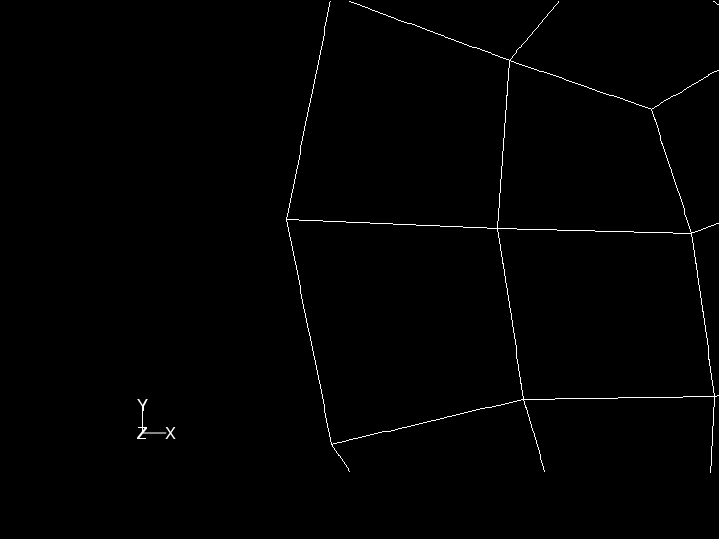
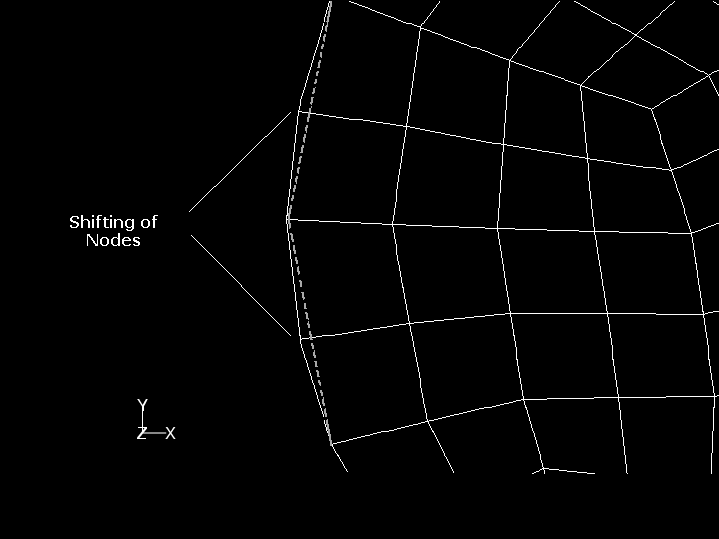
Consider a coarse mesh created for a circular geometry. A section of the mesh close to the circular edge is shown in Figure 19.10.1. The edge is not smooth and has sharp corners, because of which its shape is not closer to that of the original geometry. Using boundary adaption along with the geometry reconstruction option will result in a mesh with smoother edges as shown in Figure 19.10.2.
In Figure 19.10.2, the dotted lines represent the original edge of the mesh. The boundary adaption process creates new nodes in between the original nodes. These nodes are projected towards the edge of the geometry, because of which the resulting mesh has smooth edges and its shape is closer to the original geometry.
|
|
Only the nodes created in the adaption process (newly created nodes) are projected and the original nodes retain their positions.
|
The following parameters control node projection and are specified in Geometry Based Adaption dialog box.
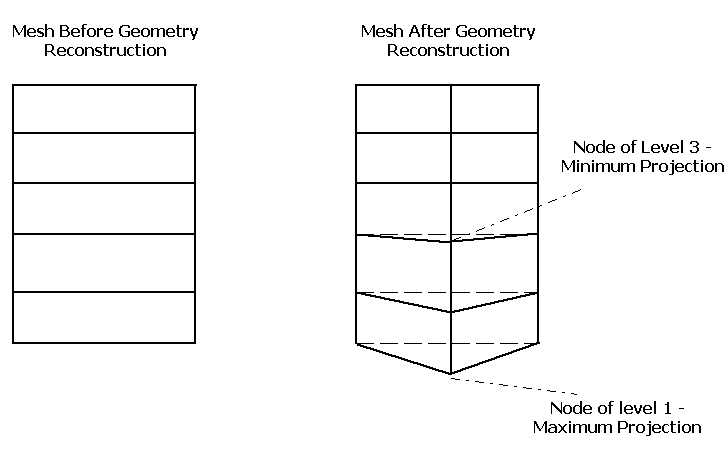
For example, a value of 3 for Levels of Projection Propagation means, the level 1 node is projected by maximum magnitude and level 3 node is projected by minimum magnitude. Figure 19.10.3 illustrates the level of propagation and magnitude of projection of newly created nodes.
|
|
You can read only one surface mesh at a time. The various zones of the surface mesh will be listed in the
Background Mesh drop-down list.
|
Example of Geometry-Based Adaption
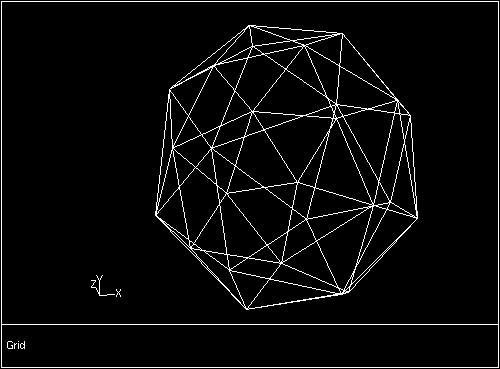
Consider a mesh created for a spherical geometry. The initial mesh is very coarse, because of which it has sharp corners (as in Figure 19.10.4). It does not represent the spherical geometry accurately. To recover the original spherical geometry from this coarse mesh use geometry-based adaption.
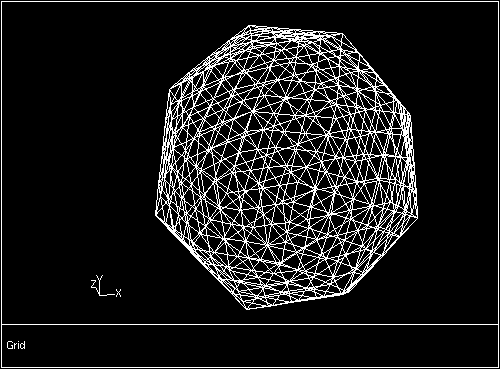
If you adapt boundaries of the domain without activating the Reconstruct Geometry option, the resulting mesh (see Figure 19.10.5) has sufficient number of cells, but the boundary of the domain still contains sharp corners.
Boundary adaption only creates new nodes in between the existing nodes to increase the cell count of the mesh. Since it does not project the nodes, the shape of the mesh remains as it is.
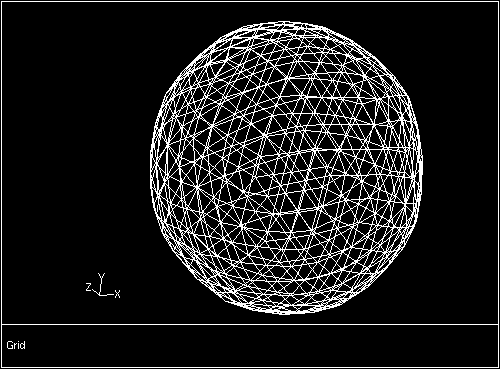
If you adapt the boundary with Reconstruct Geometry option. The resulting mesh (Figure 19.10.6) has more number of cells and less sharp corners at boundary. In addition, the newly created nodes are projected in a direction such that it's shape is closer to the original geometry (i.e., sphere with smooth boundary).
Previous:
19.10 Geometry-Based Adaption