![[ANSYS, Inc. Logo]](fluentlogo.gif)


|
|
|
Hanging node adaption is the procedure used in ANSYS FLUENT. Meshes produced by this method are characterized by nodes on edges and faces that are not vertices of all the cells sharing those edges or faces, as shown in Figure 19.1.1.
Hanging node mesh adaption provides the ability to operate on meshes with a variety of cell shapes, including hybrid meshes. Although the hanging node scheme provides significant mesh flexibility, it requires additional memory to maintain the mesh hierarchy which is used by the rendering and mesh adaption operations.
Hanging Node Refinement
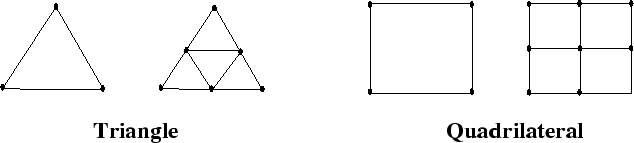
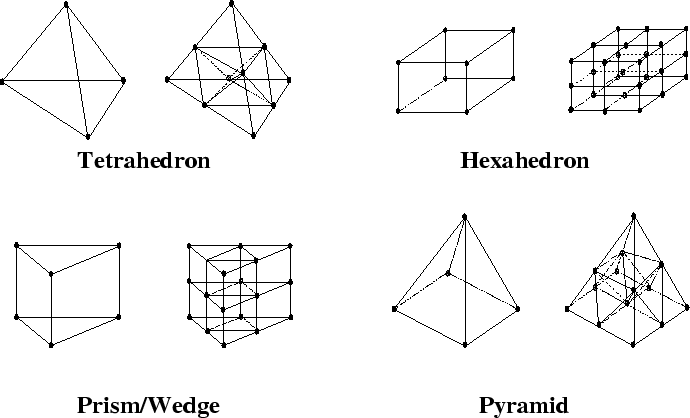
The cells marked for refinement are divided as described here:
Figures 19.1.2 and 19.1.3 illustrate the division of the supported cell shapes.
To maintain accuracy, neighboring cells are not allowed to differ by more than one level of refinement. This prevents the adaption from producing excessive cell volume variations (reducing truncation error) and ensures that the positions of the parent (original) and child (refined) cell centroids are similar (reducing errors in the flux evaluations).
Hanging Node Coarsening
The mesh is coarsened by reintroducing inactive parent cells (uniting the child cells to reclaim the previously subdivided parent cell). An inactive parent cell is reactivated if all its children are marked for coarsening. You will eventually reclaim the original mesh with repeated application of the hanging node coarsening. Using the hanging node adaption process, you cannot coarsen the mesh further than the original mesh.
Previous:
19.1 Static Adaption Process