1.
Read in the case and data files (
do_3x3_3x3_div.cas.gz and
do_3x3_3x3_div.dat.gz).
2.
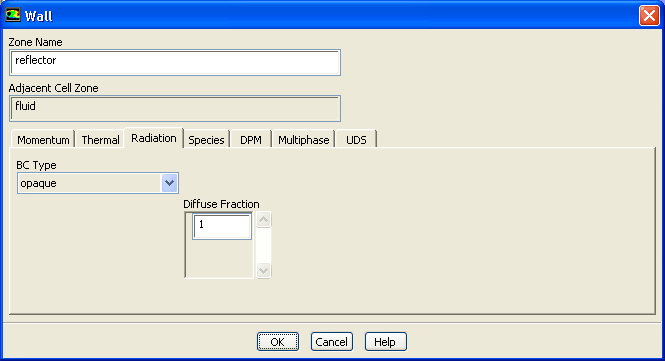
Increase the diffuse fraction for
reflector.
Boundary ConditionsreflectorEdit...
(a)
Click the
Radiation tab and enter
1 for
Diffuse Fraction.
(b)
Click
OK to close the
Wall dialog box.
3.
Request another 1000 iterations.
Run Calculation
The solution will converge in approximately 80 additional iterations.
4.
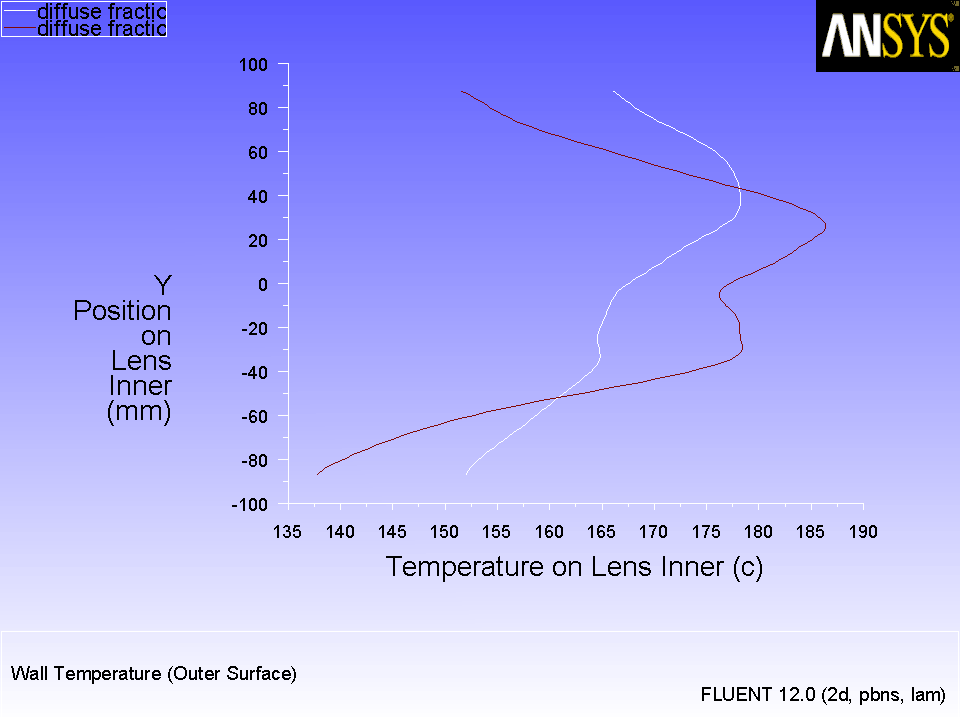
Plot the temperature profiles after increasing the diffuse fraction for the
reflector.
PlotsXY PlotSet Up...
(a)
Save the file as
do_3x3_3x3_div_df=1.xy.
(b)
Save the case and data files as
do_3x3_3x3_div_df1.cas.gz and
do_3x3_3x3_div_df1.dat.gz.
Figure 6.10: Temperature Profile for Higher Diffuse Fraction
Radiation reflects from the reflector more diffusely causing more uniform (less localized) temperature at the lens. This also leads to lower maximum lens temperature.
![[ANSYS, Inc. Logo]](fluentlogo.gif)


 Boundary Conditions

 reflector
 Edit...
 Run Calculation
 Plots
Plots

 XY Plot
 Set Up...