![[ANSYS, Inc. Logo]](fluentlogo.gif)


|
|
|
The Parallel/Network/Database... menu item opens the Hosts Database dialog box.
|
|
The ability to read a hosts file using the
Hosts Database dialog box is only availabe when using the
net option (e.g.,
-mpi=net). While this feature is still available in
ANSYS FLUENT 6.3, its use is discouraged.
|
Hosts Database Dialog Box
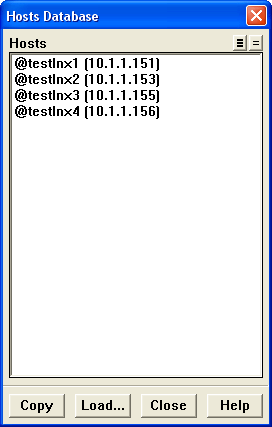
When you are creating a parallel network of workstations, it is convenient to start with a list of machines that are part of your local network (a "hosts file''). You can load a file containing these names into the hosts database and then select the hosts that are available for creating a parallel configuration (or network) on a cluster of workstations.
The Hosts Database dialog box allows you to read a hosts file and copy selected entries to the list of available hosts in the Network Configuration dialog box.
Parallel
 Network
 Database...
Controls
If the hosts file exists in your home directory, its contents are automatically added to the hosts database at startup. Otherwise, the hosts database will be empty until you read in a hosts file.
Once the contents of the hosts file have been read, the host names will appear in the Hosts list. ( ANSYS FLUENT will automatically add the IP (Internet Protocol) address for each recognized machine. If a machine is not currently on the local network, it will be labeled unknown.)
Previous:
34.9.2 Parallel/Partitioning and Load
