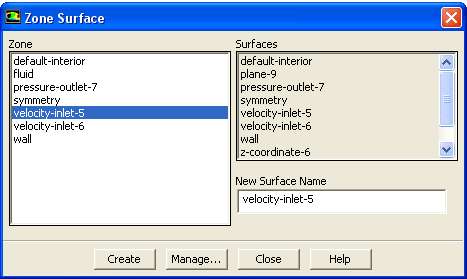
The
Surface/Zone... menu item opens the
Zone Surface dialog box.
Zone Surface Dialog Box
The
Zone Surface dialog box allows you to interactively create surfaces from face and cell zones in the domain. See Section
28.2 for details about the items below.
Controls
Zone
contains a list from which you can select the face or cell zone to be used for creating a zone surface.
Surfaces
displays an informational list of existing surfaces.
New Surface Name
designates the name of the surface to be created. The default is the zone name.
Create
creates the surface.
Manage...
opens the
Surfaces dialog box in which you can rename and delete surfaces and determine their sizes.
![[ANSYS, Inc. Logo]](fluentlogo.gif)