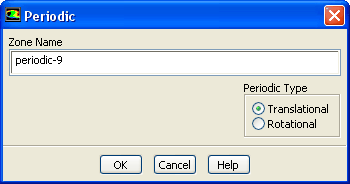
The
Periodic dialog box sets the boundary conditions for a periodic zone. It is opened from the
Boundary Conditions task page. See Section
7.3.16 for details about the items below. See Section
9.2 for information about fully-developed periodic flow.
Controls
Zone Name
sets the name of the zone.
Periodic Type
indicates whether the periodicity of the domain is
Translational or
Rotational.
Periodic Pressure Jump
sets the pressure increase/decrease across the periodic boundary. (This item will not appear if the pressure-based (default) solver is used; it is relevant only for the density-based solvers.)
![[ANSYS, Inc. Logo]](fluentlogo.gif)