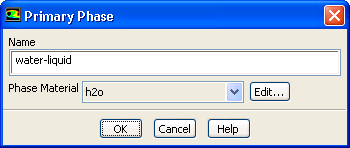
The
Primary Phase dialog box allows you to set the properties of the primary phase. It is opened from the
Phases task page. See Section
24.3.4 for details about the items below.
Controls
Name
specifies the name of the phase.
Phase Material
contains a drop-down list of available materials, from which you can select the appropriate one for this phase.
Edit...
opens the
Edit Material dialog box for the selected
Phase Material, where you can modify its properties.
![[ANSYS, Inc. Logo]](fluentlogo.gif)