[ANSYS, Inc. Logo] return to home search
next up previous contents index


33.4.43 FLUENT Database Materials Dialog Box

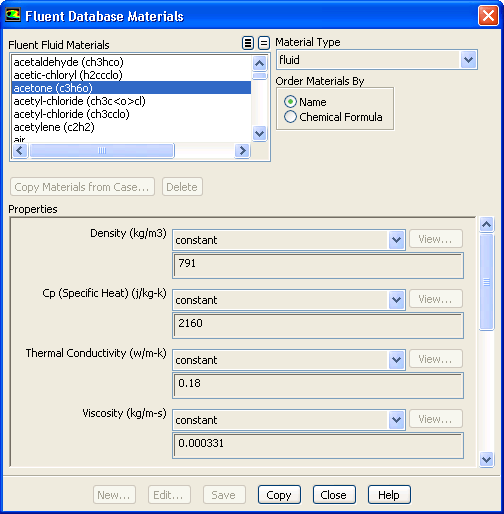
The FLUENT Database Materials dialog box contains the portion of the FLUENT Database Materials dialog box that contains the properties for a specific material. It is opened from the Species Model dialog box.

  There are two dialog boxes with name FLUENT Database Materials. The other dialog box opens up when you click the FLUENT Database... button in the Create/Edit Materials dialog box.

figure

Controls

Database Properties of material-n   contains a list of the properties of material-n. The items in the list are the same as those in the FLUENT Database Materials dialog box.


next up previous contents index Previous: 33.4.42 Edit Material Dialog
Up: 33.4 Materials Task Page
Next: 33.5 Phases Task Page
Release 12.0 © ANSYS, Inc. 2009-01-29