ANSYS FLUENT will perform various checks on the mesh and report the progress in the console. Make sure that the reported minimum volume is a positive number.
2.
Examine the mesh.
Figure 5.2: Graphics Display of Mesh
3.
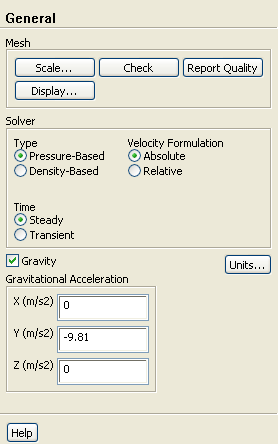
Retain the default solver settings.
General
4.
Enable
Gravity.
(a)
Enter
-9.81 for
Gravitational Acceleration in the
Y direction.
![[ANSYS, Inc. Logo]](fluentlogo.gif)


 General
 General
 Check
Check
 General
 for
Gravitational Acceleration in the
Y direction.
for
Gravitational Acceleration in the
Y direction.
