ANSYS FLUENT will perform various checks on the mesh and will report the progress in the console window. Ensure that the reported minimum volume is a positive number.
3.
Verify that the mesh size is correct.
GeneralScale...
(a)
Close the
Scale Mesh dialog box.
4.
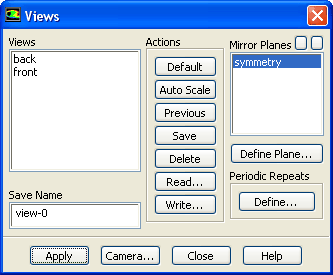
Mirror the view across the centerline (Figure
4.2).
Graphics and AnimationsViews...
(a)
Select
symmetry in the
Mirror Planes selection list.
![[ANSYS, Inc. Logo]](fluentlogo.gif)


 Read
Read
 Mesh...
 General
 Check
Check
 General
 Scale...

 Graphics and Animations
 Views...