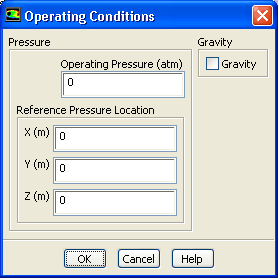
(b)
Click
OK to close the
Operating Conditions dialog box.
Since you have specified the boundary condition inputs for pressure in terms of absolute pressures, you have to set the operating pressure to zero. Boundary condition inputs for pressure should always be relative to the value used for operating pressure.
![[ANSYS, Inc. Logo]](fluentlogo.gif)


 Boundary Conditions
 Boundary Conditions
 Operating Conditions...