1.
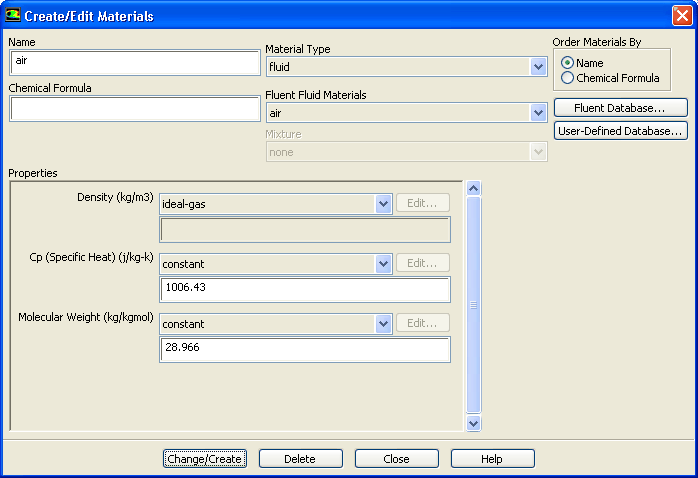
Specify air (the default material) as the fluid material, using the ideal gas law to compute density.
MaterialsairCreate/Edit...
(a)
Retain the default entry of
air in the
Name text entry field.
(b)
Select
ideal-gas from the
Density drop-down list in the
Properties group box.
(c)
Retain the default values for all other properties.
(d)
Click
Change/Create and close the
Create/Edit Materials dialog box.
As reported in the console,
ANSYS FLUENT will automatically enable the energy equation, since this is required when using the ideal gas law to compute the density of the fluid.
![[ANSYS, Inc. Logo]](fluentlogo.gif)


 Materials
 Materials

 air
air
 Create/Edit...