Step 4: Materials
Materials
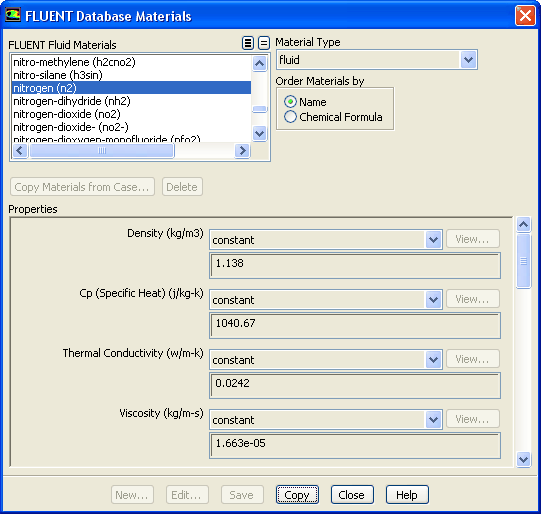
1. Add nitrogen to the list of fluid materials by copying it from the
ANSYS FLUENT
Database
of materials.
Materials
air
Create/Edit...
(a) Click the
ANSYS FLUENT
Database...
button to open the
ANSYS FLUENT
Database Materials
dialog box.
i. Select
nitrogen (n2)
in the
ANSYS FLUENT
Fluid Materials
selection list.
ii. Click
Copy
to copy the information for nitrogen to your list of fluid materials.
iii. Close the
ANSYS FLUENT
Database Materials
dialog box.
(b) Click
Change/Create
and close the
Create/Edit Materials
dialog box.
Previous:
Step 3: Models
Up:
Modeling Flow Through Porous
Next:
Step 5: Cell Zone
Release 12.0 ©
ANSYS, Inc.
2009-02-09
![[ANSYS, Inc. Logo]](fluentlogo.gif)


 Materials
 Materials

 air
air
 Create/Edit...

 Previous:
Step 3: Models
Previous:
Step 3: Models