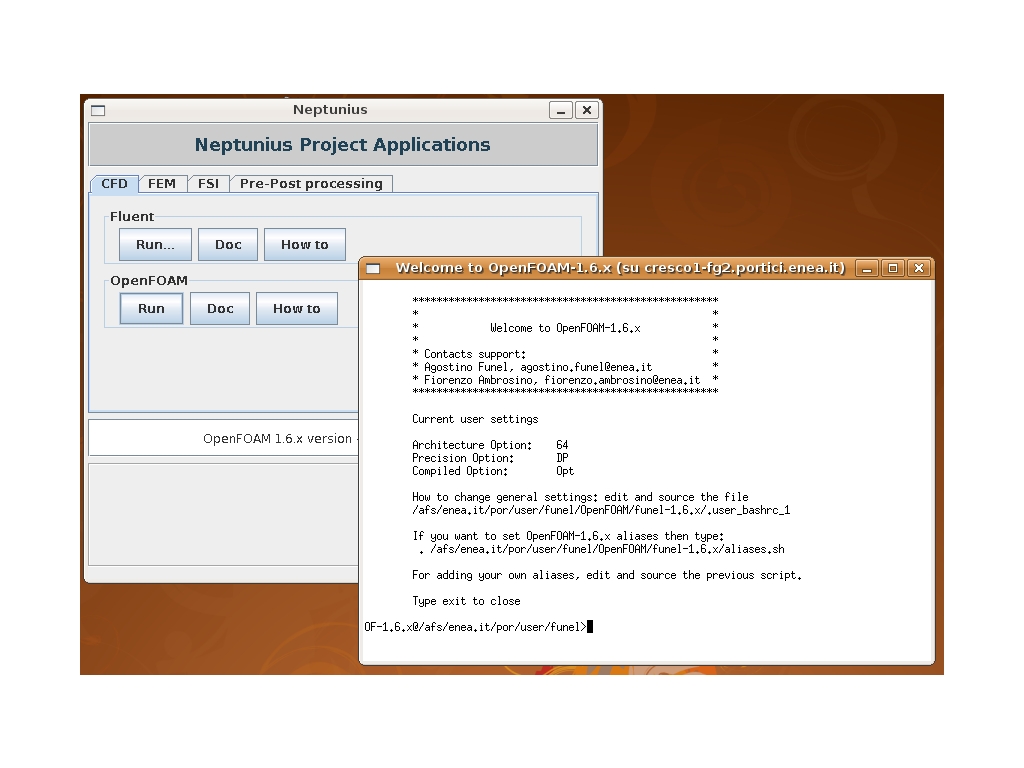
At present the available OpenFOAM versions for CRESCO HPC system are 1.4.1, 1.5, 1.6.x, 1.7.0, 2.0.1 and 2.1.0. For running OpenFOAM, users have to load the appropriate environment by typing at the shell prompt the command OpenFOAM-<version> [xterm]. The xterm option will cause the OpenFOAM session to be started on an xterm, leaving the shell free of accepting other commands.
Alternatively, OpenFOAM can be started form the NEPTUNIUS virtual laboratory. Any user with an AFS account can run the provided codes by clicking the software link (top of the home page) and following the instructions.
|
|
It is possible to submit an OpenFOAM job to CRESCO in batch mode. This is accomplished by following the simple procedure described below.
Step 0: Optional
If the job will produce a huge amount of data or I/O, it should be better to use the ENEA GRID Parallel File System (GPFS).
cd ~/PFS/por
mkdir mycase
Step 1: Load OpenFOAM
Load OpenFOAM as explained above.
Step 2: Submit to LSF
Use a submition script from inside the OpenFOAM environment.
bsub -o myoutput -e myerror -n #cores -q quename ./submit.sh
For example, for running the OpenFOAM-1.6.x simpleFoam solver in parallel (have a look at the OpenFOAM documentation on how to run in parallel) the script may look like:
#!/bin/sh
|